
What Makes a Good Small Business Website?
A good small business website does more than look attractive. It helps visitors understand what you offer, find the information they need, trust your business and take the next step. Discover the essential features that make a website useful for your customers and supportive of your business goals.
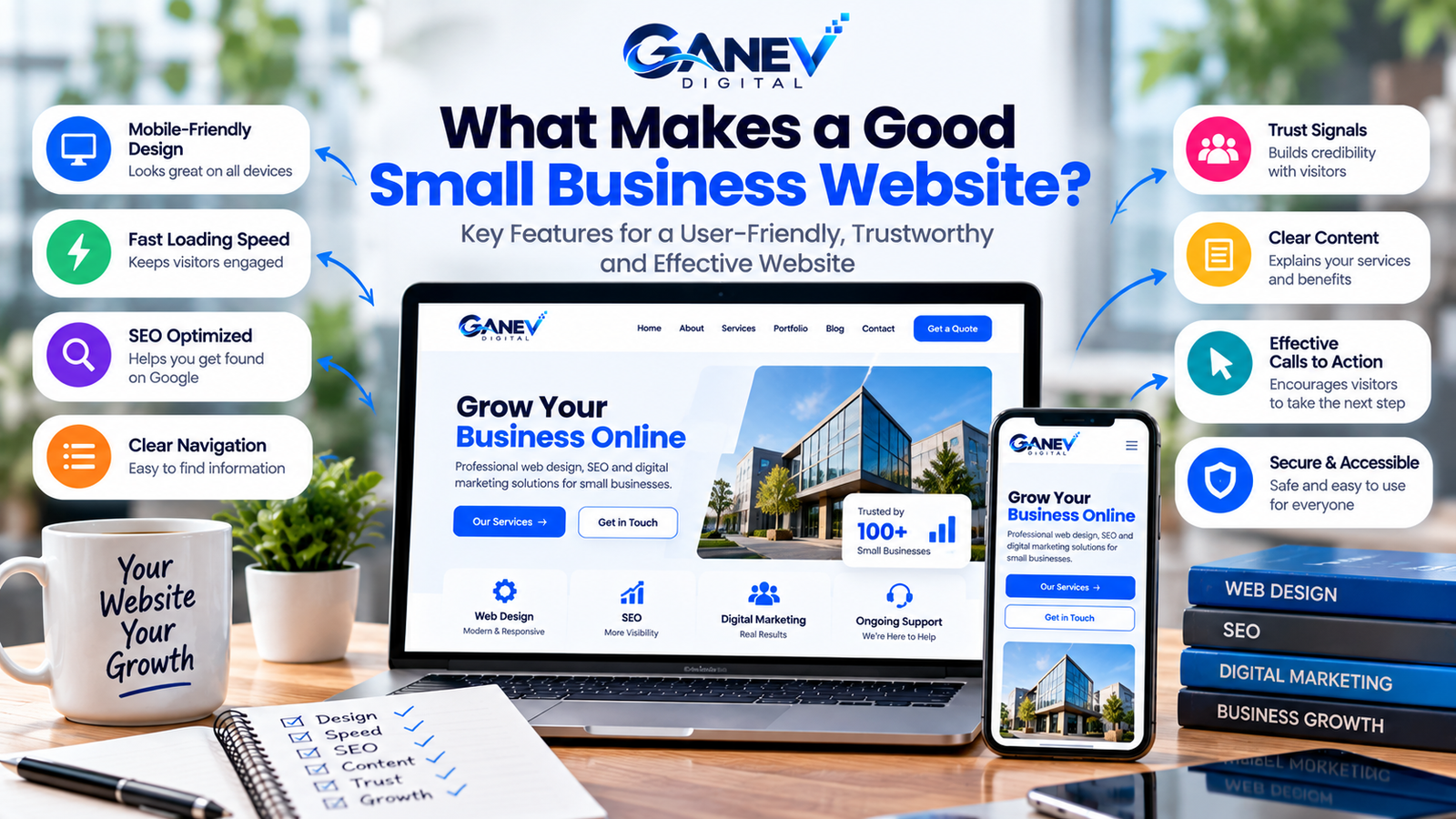
Introduction: Why Does Your Website Matter?
Your website can be one of the first places potential customers visit when they want to learn about your business. It gives them an opportunity to understand your services, explore your work and decide whether they want to contact you.
However, simply having a website is not enough. If visitors struggle to navigate it, cannot find contact information or encounter slow-loading pages, they may leave without taking action.
A good small business website should be easy to use, accessible across devices, informative, trustworthy and designed around clear business objectives.
1. Define a Clear Website Purpose
Every effective website should have a clear purpose. Before designing pages, decide what you want visitors to understand and what actions you want them to take.
Common Website Goals
- Generate enquiries for services.
- Sell products through an online store.
- Encourage customers to book appointments.
- Showcase a portfolio or previous projects.
- Share useful information and establish expertise.
- Help customers find business hours, location and contact details.
Your main goal should influence your page structure, content, navigation and calls to action.
2. Use Clean and Professional Design
Your website design should help visitors understand your business rather than distract them. A consistent visual style can make information easier to scan and create a more professional impression.
Important Design Principles
- Visual consistency: Use a consistent color palette, typography and button style.
- Readable text: Choose legible fonts and comfortable line spacing.
- Clear hierarchy: Make headings, key messages and important actions easy to identify.
- Useful imagery: Use relevant, high-quality images that support your message.
- White space: Leave enough space between sections to prevent the page from feeling crowded.
Avoid excessive animations, pop-ups, competing colors and decorative effects that make the website difficult to use. Design choices should support your content and customer journey.
3. Make Your Website Mobile-Friendly
People may discover your business through smartphones, tablets or desktop computers. Your website should remain usable on different screen sizes without forcing visitors to zoom or scroll horizontally.
Check These Mobile Features
- Text remains readable on smaller screens.
- Navigation is easy to open and use.
- Buttons are large enough to tap comfortably.
- Images resize without becoming distorted.
- Forms fit the screen and are easy to complete.
- Important contact details remain easy to find.
Test your pages on an actual mobile device as well as using your browser’s responsive preview. Review every important page, not just the homepage.
4. Improve Website Loading Speed
A website that loads slowly can frustrate visitors and make important content harder to access. Performance also contributes to user experience and is one factor in Google’s page experience and ranking systems.
Practical Ways to Improve Speed
- Compress images and use appropriately sized files.
- Use modern image formats such as WebP where supported.
- Avoid unnecessary plugins and heavy scripts.
- Choose reliable hosting suited to your website’s needs.
- Use caching and other suitable performance optimizations.
- Review page performance with Google PageSpeed Insights.
Measure performance before and after making changes. Avoid adding multiple optimization plugins without checking whether they work well together.
6. Write Clear and Helpful Website Content
Visitors should quickly understand what your business does, who you help and how your products or services can benefit them. Clear content is more useful than vague claims or unnecessary jargon.
What Your Homepage Should Explain
- What your business offers.
- Who your products or services are for.
- What problem you help solve.
- Why visitors should consider your business.
- What they should do next.
Use descriptive headings, short paragraphs and lists where they improve readability. Explain your services in language your target audience understands.
Use Relevant and Original Content
Your service descriptions, project examples and business information should accurately reflect your work. If you publish blog articles, focus on answering real customer questions rather than repeating keywords unnecessarily.
7. Build Trust and Credibility
Visitors need enough reliable information to evaluate whether your business is suitable for them. A trustworthy website presents accurate details, communicates clearly and avoids misleading promises.
Trust Elements to Consider
- Accurate business contact information.
- Genuine testimonials used with appropriate permission.
- Real project examples or a relevant portfolio.
- Clear descriptions of services, prices or quotation processes.
- Professional spelling, grammar and visual presentation.
- Privacy information appropriate to the data you collect.
- Secure browsing through HTTPS.
Do not invent customer reviews, certifications, statistics or client logos. Genuine evidence of your work is more valuable than unsupported claims.
8. Follow Essential SEO Practices
Search engine optimization helps search engines understand your pages and can help relevant customers discover your business through organic search. SEO should begin with useful content and a website that can be accessed and understood.
Essential Website SEO Tasks
- Keyword research: Understand the phrases your potential customers use.
- SEO titles: Write descriptive titles that accurately represent each page.
- Meta descriptions: Summarize the page clearly to help searchers understand its content.
- Headings: Organize content with a logical heading structure.
- Internal links: Connect relevant pages so visitors can explore related information.
- Image alt text: Describe meaningful images for accessibility and context.
- Technical SEO: Check indexing, crawlability, sitemap availability and broken links.
Set up Google Search Console to monitor search impressions, clicks, indexing and relevant queries. Remember that good SEO practices improve your chances of being understood by search engines but do not guarantee rankings.
9. Use Clear Calls to Action
A good website helps visitors understand what to do next. A call to action (CTA) is a prompt that guides them toward a useful action, such as contacting your business, requesting a quotation or purchasing a product.
Examples of Effective CTAs
- Request a Quote
- Book an Appointment
- Explore Our Services
- View Our Portfolio
- Contact Our Team
- Shop Now
Choose CTA wording that matches the page’s purpose. Place important actions where visitors can find them without overwhelming the page with too many competing buttons.
Make Contact Easy
Depending on your business, useful contact options may include a contact form, email address, phone number or WhatsApp link. Ask only for the information you actually need, and test the form to ensure enquiries reach the right destination.
10. Prioritize Security and Accessibility
Security and accessibility are essential parts of a dependable website. Visitors should be able to use your content comfortably, and the site should protect information appropriately.
Security Basics
- Use HTTPS with a valid SSL/TLS certificate.
- Keep WordPress, themes and plugins updated.
- Use strong passwords and appropriate account permissions.
- Maintain reliable backups.
- Use reputable plugins and remove those you no longer need.
- Protect forms and customer information appropriately.
Accessibility Basics
- Maintain sufficient contrast between text and backgrounds.
- Use meaningful headings in a logical order.
- Add descriptive alt text to meaningful images.
- Ensure links and controls can be used with a keyboard.
- Use descriptive link text rather than vague labels everywhere.
- Label form fields clearly and explain any errors.
These practices make your website more dependable and usable for a wider range of visitors.
Your Small Business Website Checklist
Use this checklist to review your website before publishing it or planning improvements.
- The homepage clearly explains what the business offers.
- The design is consistent with the business brand.
- The website works on mobile, tablet and desktop.
- Pages load efficiently and images are optimized.
- Navigation is clear and important pages are easy to find.
- Content is accurate, helpful and easy to understand.
- Contact information and enquiry forms work correctly.
- Calls to action guide visitors toward useful next steps.
- Page titles, headings and internal links are reviewed.
- Google Search Console is configured where appropriate.
- HTTPS, updates and backups are in place.
- Basic accessibility checks have been completed.
Start by fixing problems that prevent visitors from understanding your offer or contacting you. Then improve performance, content, SEO and other features according to your business priorities.
Frequently Asked Questions
1. What makes a good small business website?
A good small business website is easy to navigate, mobile-friendly, informative, secure and reasonably fast. It clearly explains the business and helps visitors take relevant actions.
2. What pages should a small business website have?
Many small businesses benefit from Home, About, Services or Products, and Contact pages. A Blog, FAQ, Portfolio or other page may be useful depending on the business model.
3. Is mobile-friendly design important?
Yes. A responsive website adjusts to different screen sizes, making content, navigation and forms easier to use on phones, tablets and desktop computers.
4. How can I make my website load faster?
Start by optimizing images, removing unnecessary scripts and plugins, using suitable hosting and enabling appropriate caching. Tools such as Google PageSpeed Insights can help identify potential performance issues.
5. Does every small business website need a blog?
No. A blog is useful when your business can publish relevant, helpful content that supports customer questions or marketing goals. It is not essential for every business website.
6. How does SEO help a small business website?
SEO helps search engines understand your pages and can improve your opportunities to appear for relevant searches. Useful content, descriptive titles, internal links and sound technical foundations all contribute to SEO.
7. How often should I update my website?
Review your website regularly and update information whenever services, contact details, prices or business policies change. Also check links, forms, security updates and performance periodically.
Conclusion: Build a Website That Works for Your Business
A good small business website combines clear communication, thoughtful design, mobile usability, performance, SEO and trust. Every feature should help visitors understand your business or move toward a useful next step.
You do not need every advanced feature from day one. Start with a clear homepage, useful service pages, simple navigation, working contact options and a dependable technical foundation.
Review your website from a customer’s perspective, measure performance and improve the areas that matter most. Consistent improvements can help your website better support your business as it grows.
Ready to Improve Your Business Website?
Explore Ganev Digital’s web design and digital marketing services to help build a professional online presence aligned with your business goals.
Explore Our Services → Discuss Your Project →